How To Install WP-Tube-Plugin Plugin/Theme Online Web HTML Tutorial
It is very easy to install plugin and theme on server. There are few simple steps to install & configure plugin and theme on server.
There are two ways to install plugin and theme in your server
1) Install Plugins and Themes through FTP (We recommended this method)
2) Install Plugins and Themes From wp-admin
Install Plugins and Themes Through FTP (We recommended this method)
1) First unzip the package "WTP(Pro)-Version-4.8.zip". After unzip you will have directory like below.
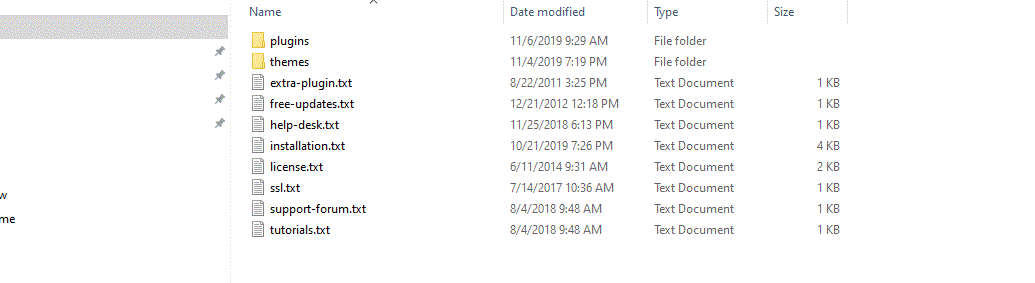
2) Using FTP Please upload the (Themes) directory in your WordPress "Themes" directory and put all directories from "Plugins" in your WordPress "Plugins" directory as below images.
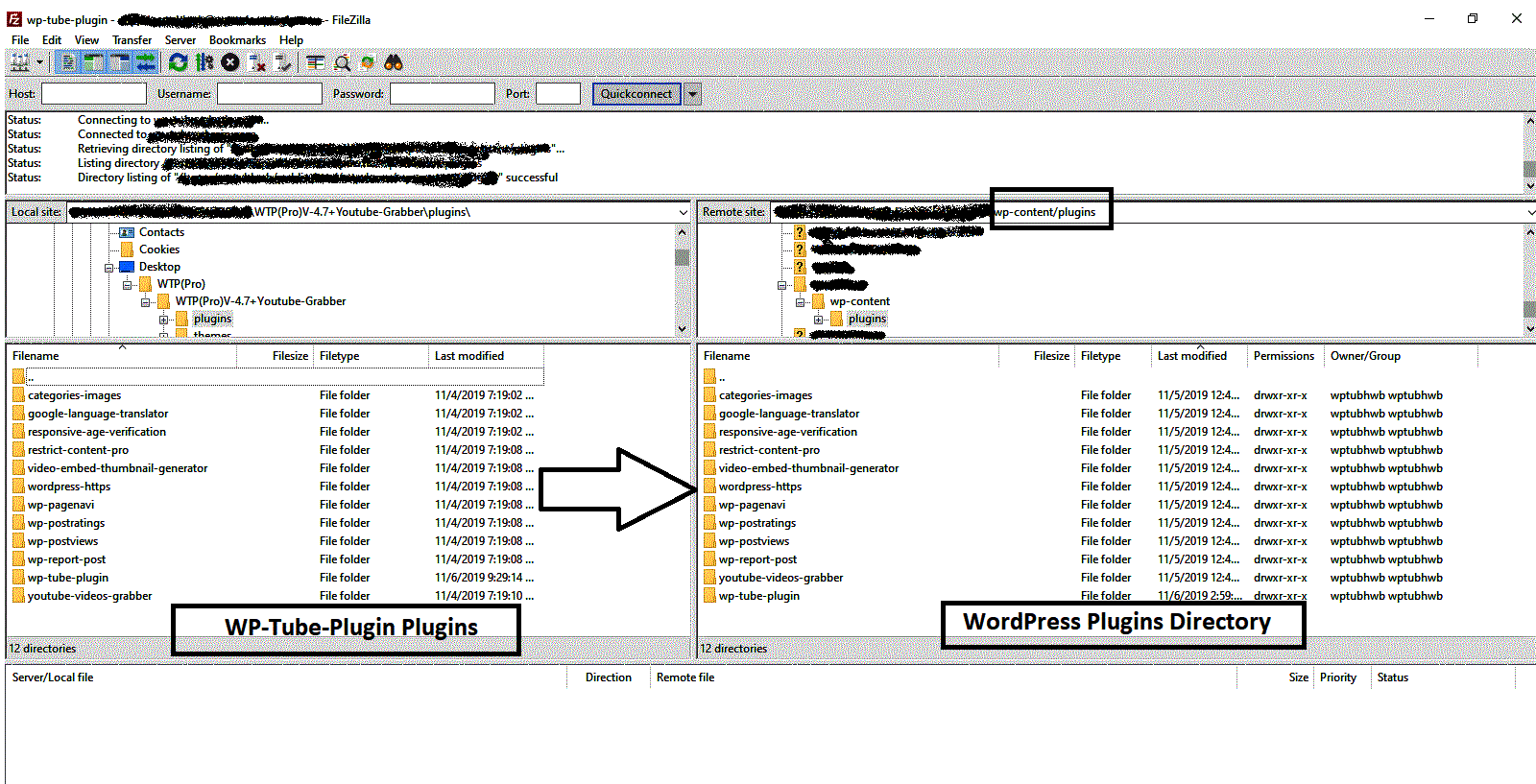
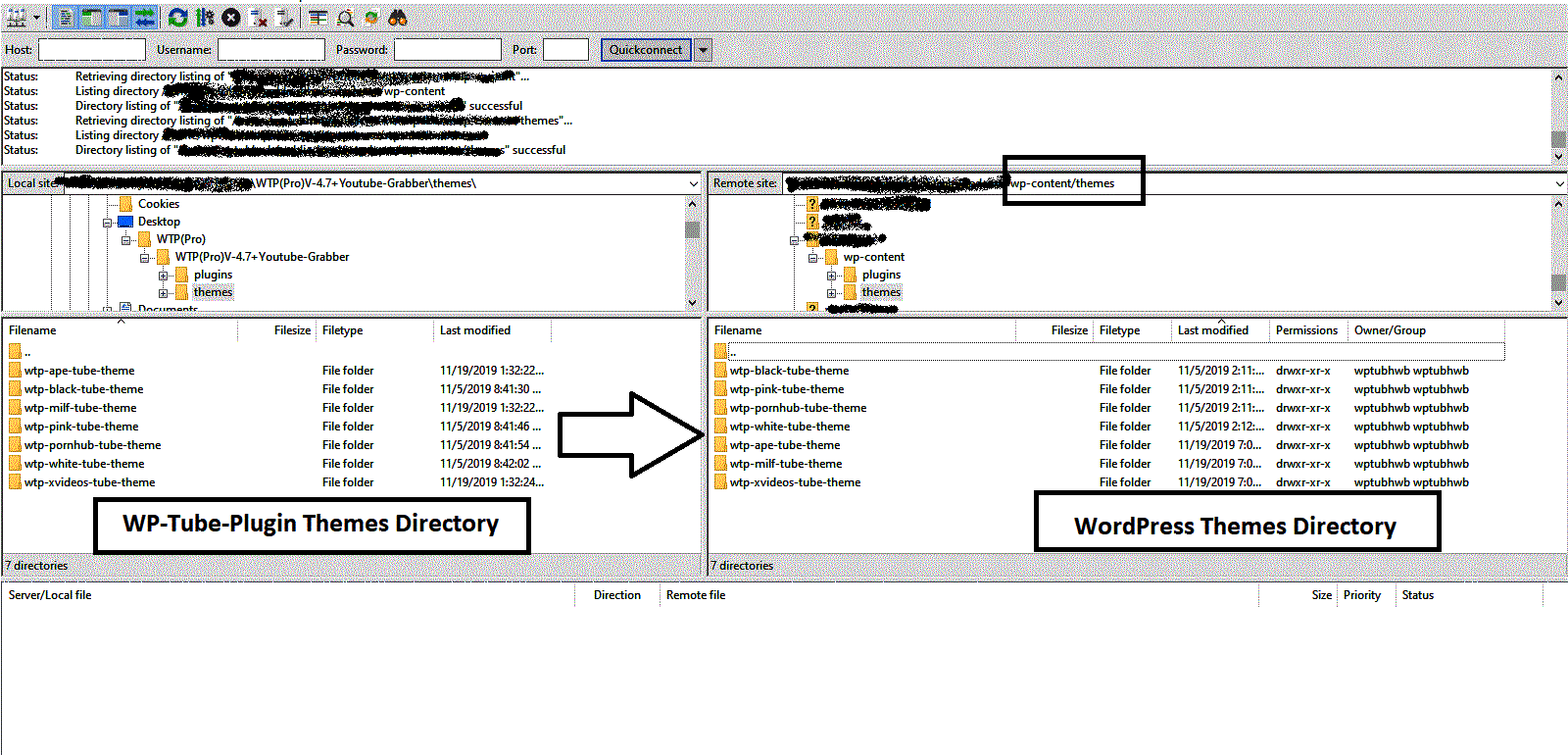
3) After uploading all plugins and themes file on server. login to wp-admin and activate plugins and theme.
4) After Install Plugins and theme Please Go To WP-Admin → WTP(Pro) → Transaction Info (wp-admin/admin.php?page=wtp-transaction-info) and enter Your Payment emailID & transaction id Before Run Script.
5) Settings → General (/wp-admin/options-general.php)
Change "site title" and "tag line" and click the save button
Settings → Reading (/wp-admin/options-reading.php)
Blog pages show at most: 20 (Number of Videos on homepage .)
Settings → permalinks (/wp-admin/options-discussion.php)
Custom structure: ( /%postname%/ )
Settings → Post Views (/wp-admin/options-general.php?page=wp-postviews/postviews-options.php)
Count Views From: (Everyone)
Exclude Bot Views: Yes
Install Plugins and Themes From wp-admin
1) First unzip the package "WTP(Pro)-Version-4.8.zip". After unzip you will have directory like below.
2) Go To Plugins folder and make zip of each plugin as screenshot below and install it from wp-admin → plugins → Add New → At the top of the page, click Upload Plugin → Click Choose File and select the plugin's ZIP file from your computer
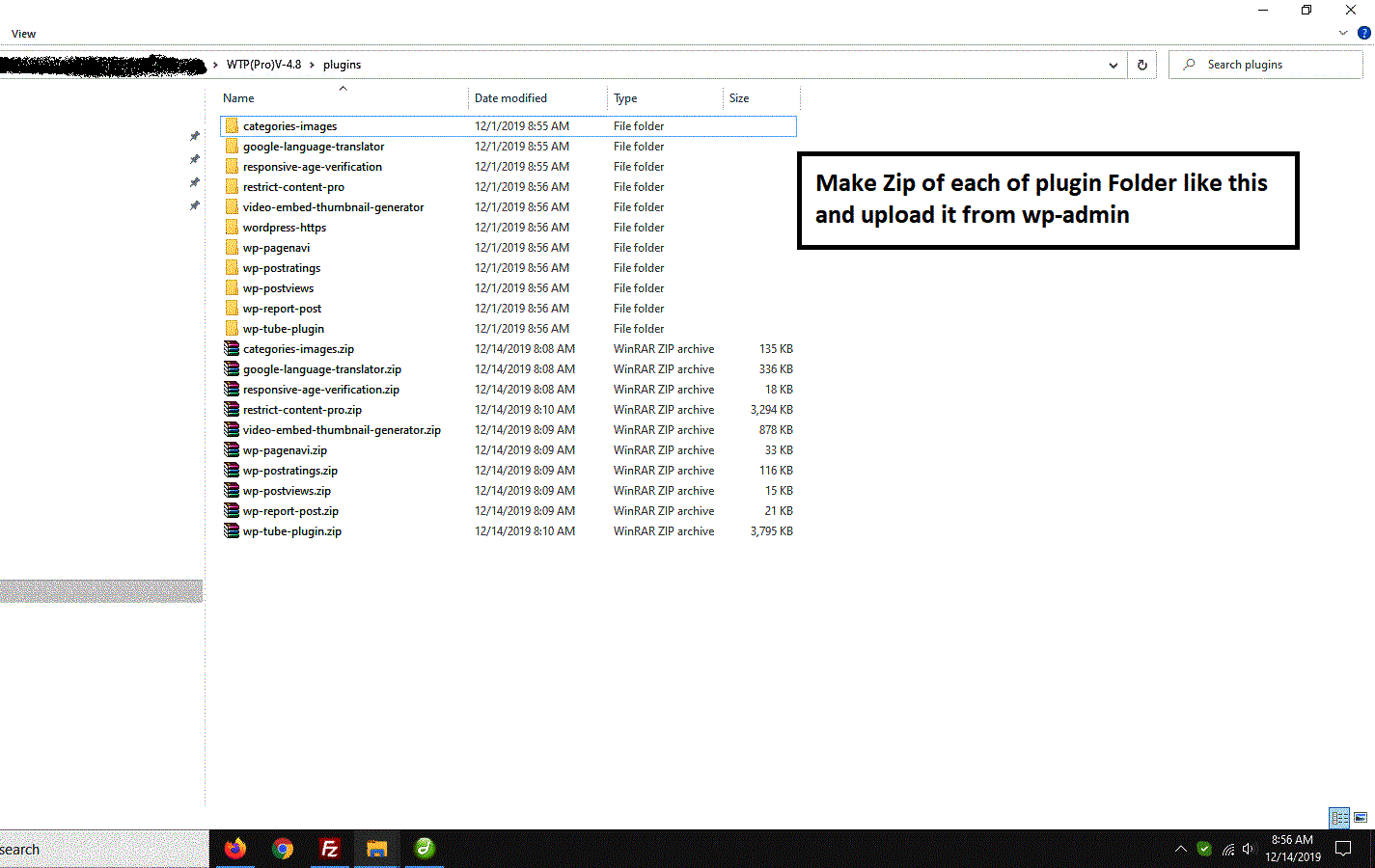
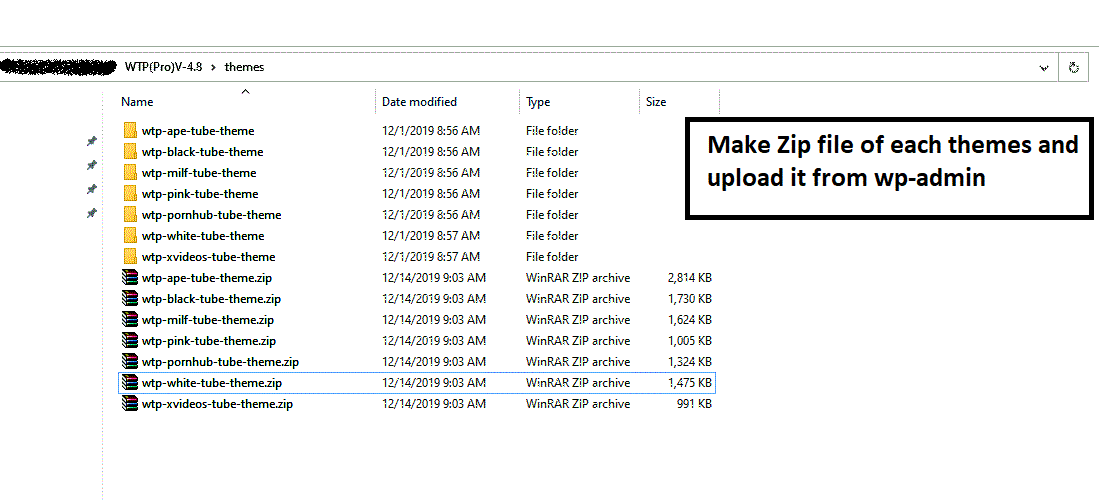
3) Go To Themes folder and make zip of each theme as screenshot below and install it from wp-admin → Appearance → Themes → Add New → Click Upload Theme → Click Choose File or drag and drop your theme's .zip file into the upload area.
4) After Install Plugins and theme Please Go To WP-Admin → WTP(Pro) → Transaction Info (wp-admin/admin.php?page=wtp-transaction-info) and enter Your Payment emailID & transaction id Before Run Script.
5) Settings → General (/wp-admin/options-general.php)
Change "site title" and "tag line" and click the save button
Settings → Reading (/wp-admin/options-reading.php)
Blog pages show at most: 20 (Number of Videos on homepage .)
Settings → permalinks (/wp-admin/options-discussion.php)
Custom structure: ( /%postname%/ )
Settings → Post Views (/wp-admin/options-general.php?page=wp-postviews/postviews-options.php)
Count Views From: (Everyone)
Exclude Bot Views: Yes